A Professional's Take on the New Macbook Pro
The landscape of professional computing has undergone a seismic shift over the last few years. What was once a market defined by minor incremental updates has been transformed into an era of high-efficiency silicon and thermal management that feels like magic. In the center of this transformation stands the MacBook Pro. For creative professionals, software engineers, and data scientists, the hardware used is not just a luxury item but a critical piece of infrastructure. When Apple transitioned to its own custom architecture, it didn't just change the logo on the chip; it redefined the expectations of what a laptop can do when pushed to its absolute limits. This article explores the current state of the MacBook Pro from a professional perspective, detailing why it remains the benchmark for mobile workstations and how it handles the rigorous demands of modern industry workflows.
For a professional, a laptop is an investment in productivity. A delay in rendering, a stutter during a live video production, or a thermal throttle while compiling a massive codebase isn't just an annoyance—it is a cost. The newest MacBook Pro iterations address these pain points with a focus on sustainable performance and interface versatility. While consumer-grade laptops often prioritize thinness at the expense of utility, the MacBook Pro has matured back into a machine that embraces thickness where it matters: to provide better cooling, larger batteries, and more ports. In this analysis, we will dive deep into the architecture, the ergonomics, and the practical utility of this machine to help professionals determine if it fits within their specific tech stack.
Architecture and Performance Analysis
At the heart of the MacBook Pro's professional appeal is the Unified Memory Architecture (UMA). Traditional PC architectures often separate the CPU and GPU memory, requiring data to be copied back and forth over a bus. In professional workflows—such as 8K video editing or training a local machine learning model—this data transfer creates a bottleneck. Apple’s approach integrates the memory into the chip package itself, allowing both the CPU and GPU to access the same data pool with incredibly high bandwidth. This is why a MacBook Pro with 64GB of RAM often feels significantly more capable than a Windows workstation with seemingly higher raw specifications. The efficiency of data movement is as important as the speed of the processor itself.
Thermal management is the second pillar of the MacBook Pro’s performance story. Professionals have long suffered through "thin and light" machines that sounded like jet engines the moment a heavy task was initiated. The current MacBook Pro chassis is designed with a high-efficiency thermal system that moves 50 percent more air than previous generations, even at lower fan speeds. In practical use, this means the fans rarely spin up during standard coding or photo editing tasks. Even during hours-long 3D renders, the noise floor remains low enough to work in a recording studio or a quiet library without distraction. More importantly, it maintains peak performance without "throttling"—the reduction of clock speeds to prevent overheating—which ensures that the first frame of a render is processed just as fast as the thousandth frame.
Display Technology: The Liquid Retina XDR
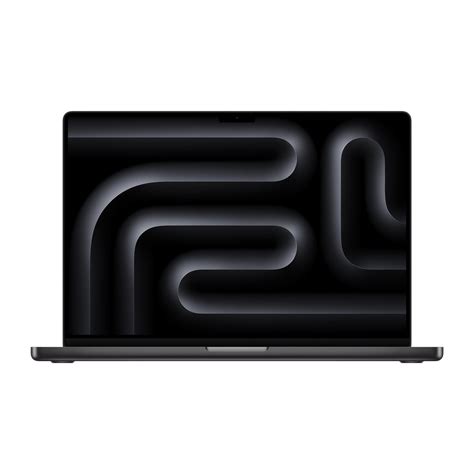
For visual professionals, the display is the most important part of the machine. The MacBook Pro features the Liquid Retina XDR display, utilizing mini-LED technology. Unlike traditional LCDs that use a single backlight, mini-LEDs use thousands of tiny light sources across hundreds of local dimming zones. This allows the screen to achieve "true blacks" and a contrast ratio of 1,000,000:1. When grading HDR video or retouching high-dynamic-range photography, the ability to see 1,600 nits of peak brightness means the highlights actually pop, while the shadows retain detail rather than washing out into a grey haze.
Furthermore, the ProMotion technology allows for a variable refresh rate up to 120Hz. While gamers often champion high refresh rates, for the professional, it serves a dual purpose: smooth UI interactions that reduce eye strain during long working hours, and the ability to match the screen's refresh rate exactly to the frame rate of the video being edited (such as 24fps, 25fps, or 30fps). This eliminates "judder" and ensures that what the editor sees is exactly what the final audience will experience.
Connectivity and Workflow Integration
Professionals rarely use a laptop in isolation. They are connected to high-resolution monitors, RAID arrays, audio interfaces, and digital cameras. The return of the SDXC card slot and the HDMI port marked a turning point in Apple's design philosophy—moving away from the "dongle life" and back toward functional utility. The inclusion of three Thunderbolt 4 ports provides the bandwidth necessary to drive multiple 6K displays while simultaneously transferring terabytes of data from external SSDs at speeds exceeding 3,000 MB/s. This level of throughput is essential for workflows involving uncompressed RAW video or massive sample libraries for music production.
MagSafe 3 is another professional favorite. While the laptop can still be charged via USB-C for convenience, the dedicated magnetic charging port ensures that an accidental trip over a cable doesn't result in a multi-thousand-dollar machine flying off a desk. It also frees up all the Thunderbolt ports for data peripherals. The battery life accompanying this power is equally impressive. Because the silicon is so efficient, many professionals report being able to complete a full eight-hour day of development work or light video editing without ever reaching for a power brick. This level of "unplugged" performance parity—where the machine doesn't slow down when disconnected from the wall—is a feature that few competitors have been able to replicate.
Discover deals on Laptops & Computers — updated daily.
Browse Now →Real-World Professional Use Cases
To understand the value proposition of the MacBook Pro, one must look at how different professions utilize the hardware. For a software developer, the primary concern is the "build time." Compiling large projects involving millions of lines of code is a processor-heavy task. The high core count of the latest chips, combined with fast internal SSD speeds (often reaching 7GB/s), reduces these build times significantly. This doesn't just save time; it keeps the developer in a state of "flow" by reducing the waiting period between writing code and testing it.
For video editors working in Final Cut Pro or DaVinci Resolve, the dedicated media engines are the standout feature. These are hardware-accelerated blocks on the chip specifically designed to encode and decode formats like H.264, HEVC, and ProRes. A MacBook Pro can often playback multiple streams of 8K ProRes video in real-time without skipping a frame—a feat that used to require a desktop tower with a dedicated graphics card and a kilowatt power supply. This allows for high-end color grading and multi-cam editing while on a plane or in a coffee shop, effectively decentralizing the professional production studio.
Comparison of Model Tiers
Choosing the right configuration is critical for maximizing ROI. The following table highlights the differences between the core configurations typically chosen by professionals.
| Feature | Standard Professional | High-End Creative | Max Intensity Workstation |
|---|---|---|---|
| Target User | Web Devs, Writers, Managers | Video Editors, Photographers | 3D Animators, ML Researchers |
| Core Count | 11-12 Cores | 12-14 Cores | 14-16 Cores |
| GPU Cores | 14-18 Cores | 18-30 Cores | 30-40+ Cores |
| Unified Memory | 18GB - 36GB | 36GB - 64GB | 64GB - 128GB+ |
| External Displays | Up to 2 Displays | Up to 2 Displays | Up to 4 Displays |
Pros and Cons: The Professional Perspective
No machine is perfect, and even the industry standard has trade-offs. Professionals must weigh the incredible performance against the initial capital expenditure and the lack of user upgradeability.
- Pro: Sustained Performance. The ability to maintain high clock speeds for hours without overheating or throttling is unmatched in the laptop category.
- Pro: Industry-Leading Display. The XDR display is factory-calibrated and capable of professional-grade color accuracy right out of the box.
- Pro: Battery Life. The efficiency of the architecture allows for incredible longevity, even under moderate workloads, making it the ultimate travel companion.
- Con: Non-Upgradeable Components. Because the RAM and Storage are integrated into the SoC (System on a Chip), buyers must spec the machine correctly at the time of purchase.
- Con: Pricing Premium. While the value is high, the entry price and the cost of memory/storage upgrades are significantly higher than the PC market average.
- Con: Software Compatibility. While most professional apps are now "Native," legacy enterprise software may still require translation layers which can impact performance slightly.
Professional Buying Guide: Choosing Your Spec
Selecting a MacBook Pro requires a realistic assessment of your typical workload over the next three to five years. Since these machines are not upgradeable, the "future-proofing" aspect becomes vital. Here is a breakdown of how to prioritize your budget when configuring a machine.
Prioritizing Unified Memory (RAM)
If you have to choose between a faster processor and more memory, professionals should almost always choose more memory. In macOS, the system uses "Swap" when it runs out of RAM, writing data to the SSD. While the SSDs are fast, they are not as fast as the RAM. For developers running Docker containers, virtual machines, or dozens of browser tabs, or for editors working with high-resolution assets, 32GB (or 36GB in current nomenclature) should be the absolute minimum. 18GB is sufficient for general tasks, but it will become a bottleneck for professional creative suites within a year or two.
Storage Strategy
Apple’s storage speeds are world-class, but they are also quite expensive to upgrade. many professionals choose to get at least 1TB of internal storage to hold their applications and current active projects, and then use external Thunderbolt SSDs for long-term archiving and massive asset libraries. This is a cost-effective way to get the performance where you need it without paying the premium for a 4TB or 8TB internal drive unless your workflow specifically requires high-speed access to a massive local database.
Shop the latest Laptops & Computers picks on Amazon.
View Offers →The 14-inch vs. 16-inch Dilemma
The choice between screen sizes is about more than just surface area; it’s about thermal headroom. While the 14-inch model is significantly more portable and fits easily on airplane trays, the 16-inch model has a larger physical footprint that allows for a larger battery and a more robust cooling system. If you are a video editor or 3D artist who will be pushing the GPU to 100% for long periods, the 16-inch model is the better choice as it can dissipate heat more effectively. If you are a mobile developer or traveling journalist, the 14-inch offers the perfect balance of power and portability.
Input, Audio, and Ergonomics
A often-overlooked aspect of the professional experience is the "human-to-machine" interface. The MacBook Pro's keyboard uses a refined scissor mechanism that offers 1mm of travel. It is stable, quiet, and reliable—a necessary tool for those who type thousands of words or lines of code a day. The Touch ID sensor is integrated into the power button, allowing for biometric authentication that is instant and secure, which is essential for professionals handling sensitive client data.
The audio system is equally impressive. It features a six-speaker array with force-canceling woofers that produce a soundstage much larger than the physical size of the laptop. For video editors in the field or producers checking a mix on the go, these speakers provide enough clarity and bass response to make critical decisions without needing headphones. Additionally, the "studio-quality" three-mic array uses a high signal-to-noise ratio to record clean audio for podcasts, voiceovers, or high-stakes video calls, often eliminating the need for an external microphone in a pinch.
Conclusion
The new MacBook Pro is more than just a laptop; it is the culmination of a decade of hardware evolution. By bringing the design of the silicon, the operating system, and the physical chassis under one roof, the result is a level of optimization that traditional components cannot match. For the professional, the value of this machine lies in the time it recovers. Whether it is the seconds saved every time a file opens, the minutes saved during a code compile, or the hours saved during a video render, these moments accumulate into a significant increase in output and a decrease in frustration.
While the initial cost is high, the MacBook Pro's build quality, industry-leading resale value, and sheer performance capability make it a sound business investment. It is a tool designed for those who view their computer as an extension of their craft. For those who need a machine that works as hard as they do—without the noise, without the heat, and without the need to stay tethered to a wall outlet—the MacBook Pro remains the definitive choice in the professional portable computing space. As workflows continue to become more demanding, having a machine with this level of architectural efficiency isn't just an advantage; it is a necessity for staying competitive in a fast-paced digital economy.
Browse Laptops & Computers Deals and Save
Compare top products and pick the one that's right for you.
See Deals on Amazon →